
Over 900 million people now use AI tools every week, and the number of tools competing for their attention has exploded past 10,000.
If you’ve spent any time trying to find the right one, you already know the problem: most “best AI tools” lists are either outdated, full of tools no one actually uses, or written by people who’ve never opened the products they’re recommending.
This guide is different. We’ve hands-on tested the tools on this list across real workflows, including writing, image generation, video creation, SEO, coding, and automation.
We’ve cut the noise down to 25 of the best AI tools in 2026 that are genuinely worth your time and money, organised by category so you can skip straight to what matters for you.
Whether you’re a blogger, content creator, marketer, or small business owner, you’ll find exactly what you need here. Including free options for every category.
Quick-Pick Comparison Table
Not sure where to start? Here’s every tool at a glance. Jump to any section for the full review.
| Tool | Best For | Free Plan | Starting Price | Category |
|---|---|---|---|---|
| ChatGPT | All-round tasks | ✅ Yes | Free / $8 / $20/mo | AI Assistant |
| Claude | Writing & long docs | ✅ Yes | Free / $20 / $100/mo | AI Assistant |
| Gemini | Google Workspace | ✅ Yes | $19.99/mo | AI Assistant |
| Perplexity | Research & fact-checking | ✅ Yes | $20/mo | AI Assistant |
| Jasper | Marketing content at scale | ❌ No | $49/mo | Writing |
| Copy.ai | Fast marketing copy | ✅ Yes | $49/mo | Writing |
| Writesonic | SEO blog content | ✅ Yes | $20/mo | Writing |
| Notion AI | Writing in your workspace | ✅ Yes | $10/mo (add-on) | Writing |
| Midjourney | High-quality AI images | ❌ No | $10/mo | Image |
| DALL-E 3 | Easy AI image generation | ✅ Yes | $20/mo (ChatGPT) | Image |
| Adobe Firefly | Commercial-safe images | ✅ Yes | $9.99/mo | Image |
| Stable Diffusion | Free AI image generation | ✅ Yes | Free (open source) | Image |
| Runway | Professional AI video | ✅ Yes | $15/mo | Video |
| Synthesia | Avatar & training videos | ❌ No | $29/mo | Video |
| Pictory | Blog-to-video repurposing | ✅ Yes | $25/mo | Video |
| ElevenLabs | Realistic AI voiceovers | ✅ Yes | $5/mo | Text-to-Speech |
| Murf AI | Business voiceovers | ✅ Yes | $29/mo | Text-to-Speech |
| Fliki | Video + voice combined | ✅ Yes | $28/mo | Text-to-Speech |
| Surfer SEO | On-page SEO optimisation | ❌ No | $99/mo | SEO |
| Semrush | All-in-one SEO suite | ✅ Yes | $139.95/mo | SEO |
| Cursor | AI-native code editor | ✅ Yes | $20/mo | Coding |
| GitHub Copilot | Value coding assistant | ✅ Yes | $10/mo | Coding |
| Claude Code | Terminal AI coding agent | ❌ No | $20/mo (Claude Pro) | Coding |
| Zapier | Workflow automation | ✅ Yes | $29.99/mo | Productivity |
| Grammarly | Writing polish & tone | ✅ Yes | $12/mo | Productivity |
Best AI Chatbots & Assistants
AI assistants are the Swiss army knives of the AI world. They handle writing, research, analysis, coding help, and everyday questions. All in one place. If you’re only going to use one AI tool, it’ll probably come from this category.
1. ChatGPT | Best All-Round AI Tool
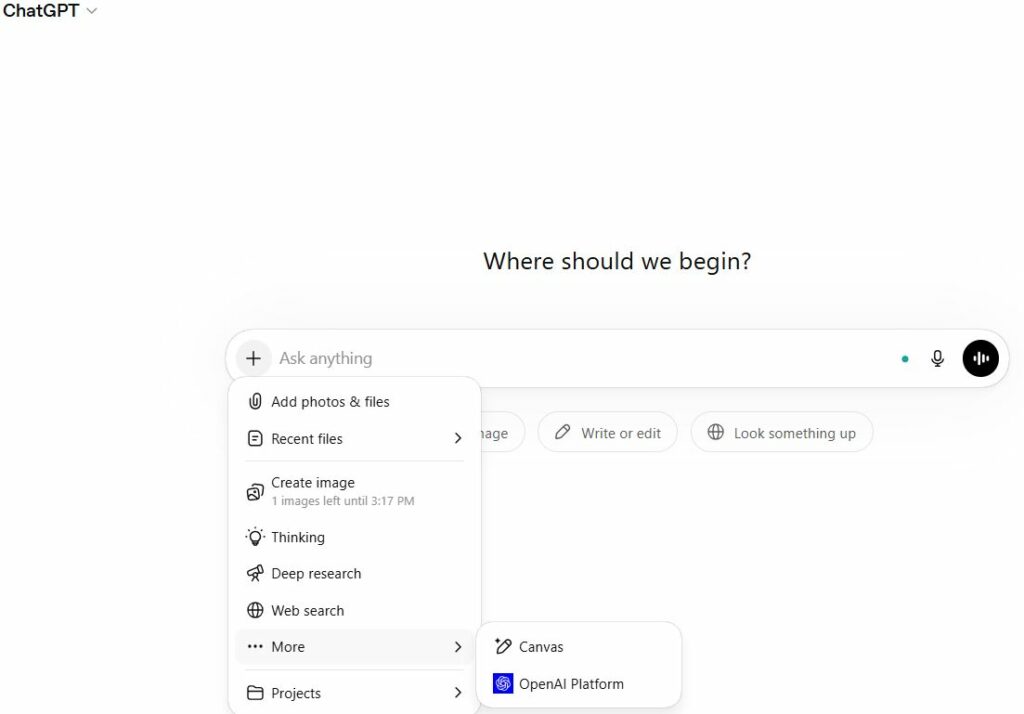
ChatGPT remains the most widely used AI tool on the planet, with over 900 million weekly active users as of early 2026. It handles an enormous range of tasks , drafting emails, writing code, brainstorming ideas, analysing data, generating images, and holding voice conversations All within a single interface. For anyone who needs one tool that does everything reasonably well, ChatGPT is still the default starting point.
The latest GPT-5.5 model is noticeably sharper than its predecessors, with improved reasoning, better instruction-following, and fewer confident wrong answers. The free tier is genuinely useful, though it now includes ads in the US. The $20/month Plus plan remains the sweet spot for most users. It’s held the same price for three years while the feature set has expanded dramatically.
Best for: General-purpose tasks, brainstorming, writing, light coding, and everyday questions.
Key features:
- Text, image, voice, and file input
- Web browsing and real-time search
- Code interpreter and data analysis
- GPT store with thousands of custom GPTs
- Mobile app (iOS & Android)
Pricing:
- Free – GPT-5.3 access, 10 messages per 5hrs, ad-supported (US)
- Go – $8/month (10x more messages, image creation, still ad-supported)
- Plus – $20/month (full model suite, Sora, Deep Research, ad-free)
- Pro – $100/month (GPT-5.4 Pro, 5x Plus limits, 250 Deep Research runs)
- Pro – $200/month (highest limits, maximum priority access)
- Business – $25/seat/month (team controls, SOC 2, SAML SSO)
Pros:
- Most versatile tool available, handles almost any task
- Massive ecosystem of plugins, integrations, and custom GPTs
- Generous free tier with real capability, six tiers for every budget
Cons:
- Specialist tools consistently outperform it in their own category
- Can be overconfident. Always verify important facts
- Free and Go plans now show ads in the US
👉 Try ChatGPT Free → ChatGPT
2. Claude | Best for Writing & Long Documents
By Anthropic · San Francisco, CA · Founded 2021
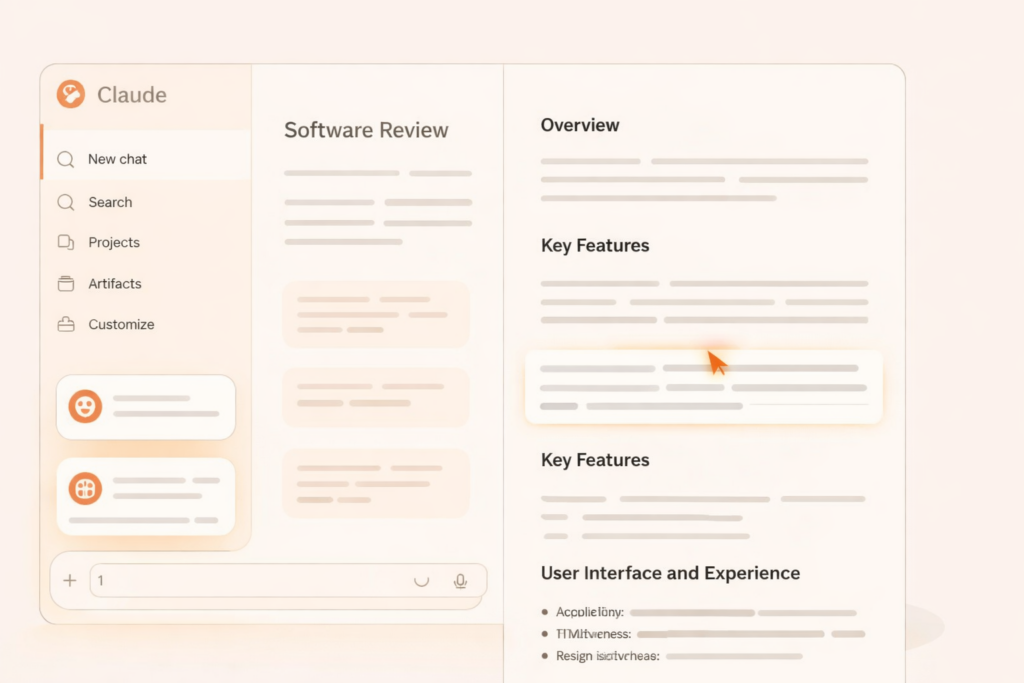
Claude, built by Anthropic, has carved out a clear lead in two areas: long-form writing and document reasoning. With a context window that can handle book-length documents in a single conversation, it’s the tool of choice when you need an AI to actually understand a full brief, report, or manuscript and not just the last few paragraphs.
What sets Claude apart for writers is its tone. Responses feel more considered and less formulaic than most AI tools. It pushes back when something doesn’t make sense, asks clarifying questions, and produces prose that needs fewer edits.
Best for: Long-form writing, editing, document analysis, and context-heavy tasks.
Key features:
- Up to 1 million token context window
- Excellent at creative and professional writing
- Strong at summarising and reasoning over long documents
- Claude Code for terminal-based coding (Pro/Max plans)
- Available on web, iOS, and Android
Pricing:
- Free – Claude Sonnet 4.6, message limits apply
- Pro – $20/month (5x usage vs free, priority access, Claude Code)
- Max 5x – $100/month (5x Pro limits, ideal for heavy daily use)
- Max 20x – $200/month (highest usage limits, maximum priority)
Pros:
- Best writing quality of any AI assistant , less generic, more nuanced
- Handles extremely long documents without losing context
- Honest about uncertainty. Less likely to confidently hallucinate
Cons:
- Message limits on the free plan kick in faster than ChatGPT
- Not as strong on real-time web search as Perplexity
- Fewer third-party integrations than ChatGPT’s ecosystem
| 👉 Try Claude Free → Claude |
3. Gemini | Best for Google Workspace Users
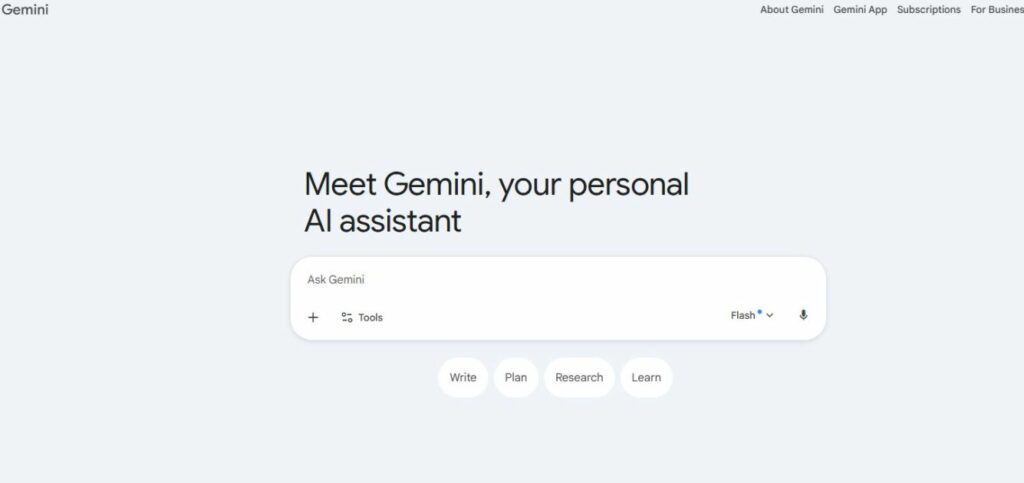
If your workflow lives inside Google, Gmail, Docs, Sheets, Drive, and Calendar, Gemini is the AI tool that slots in most naturally. It’s built directly into Google Workspace, which means it can draft emails in Gmail, summarise documents in Docs, and pull data from your Drive without any copy-pasting between tools.
Gemini’s 2 million token context window is the largest of any mainstream AI model, making it particularly powerful for processing large datasets, lengthy PDFs, or hours of video.
Best for: Google Workspace users, multimodal tasks, and processing very large documents.
Key features:
- Native integration with Gmail, Docs, Sheets, Drive, and Calendar
- 2 million token context window (largest available)
- Multimodal: text, image, audio, and video input
- Real-time web search built in
- Available on web, iOS, and Android
Pricing:
- Free – Gemini 2.0 Flash, limited Gemini Advanced usage
- Advanced – $19.99/month (Gemini 2.5 Pro, 2TB storage, Workspace integration)
Pros:
- Unbeatable for anyone already using Google Workspace
- Largest context window of any mainstream AI tool
- Strong multimodal capabilities at a competitive price
Cons:
- Less impressive for standalone creative writing vs Claude
- Quality can vary compared to ChatGPT and Claude on pure text tasks
- Advanced plan requires a Google One subscription
| 👉 Try Gemini Free → Gemini |
4. Perplexity | Best for Research & Fact-Checking
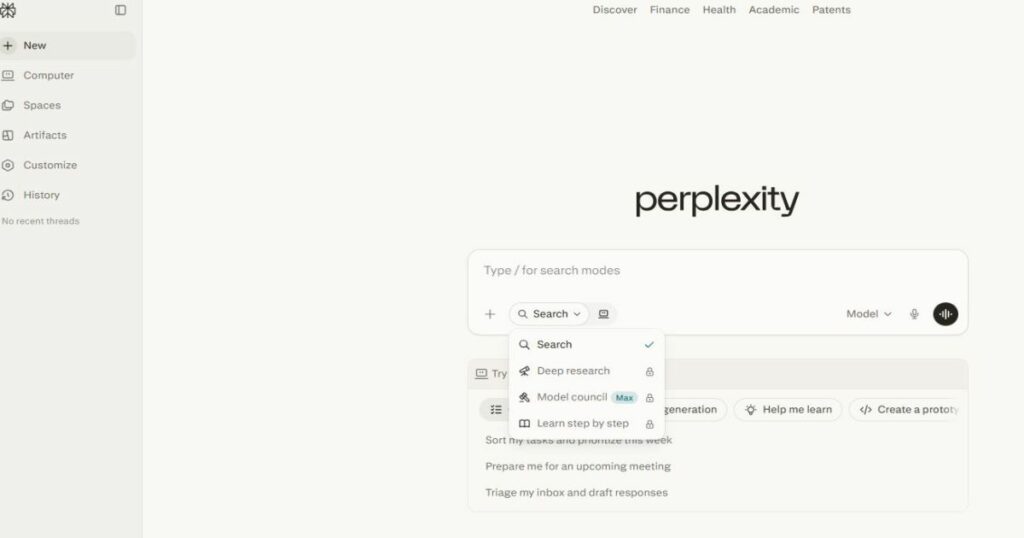
Perplexity occupies a unique niche: it’s an AI-powered research engine, not a general chatbot. Every answer comes with inline citations pulled from real-time web searches, so you can verify exactly where the information came from.
It’s not the tool for writing a blog post or generating images. But for the specific job of finding reliable information fast, nothing beats it.
Best for: Research, fact-checking, sourcing statistics, and staying up to date.
Key features:
- Real-time web search with inline citations on every answer
- Follow-up Q&A with persistent conversation context
- File and image upload for context-aware queries
- Deep Research mode for comprehensive topic reports
- iOS, Android, and browser extension available
Pricing:
- Free – 3 Pro model queries per day, unlimited standard queries
- Pro – $20/month (unlimited Pro queries, access to GPT-5, Claude, Gemini)
- Enterprise – $40/seat/month
Pros:
- Most reliable AI for factual, sourced answers
- Real-time search means always up to date
- Pro tier gives access to multiple leading AI models in one place
Cons:
- Not suitable for creative tasks, writing, or image generation
- Free tier limits Pro model queries heavily
- Can oversimplify complex or nuanced topics
Best AI Writing Tools
AI writing tools go a step further than general chatbots, they’re built specifically for producing content at scale, staying on-brand, and optimising for SEO. If writing is a core part of your work, these tools will save you hours every week.
For more details on individual tools in this category, check out our in-depth guide to AI writing tools.
5. Jasper | Best for Marketing Teams
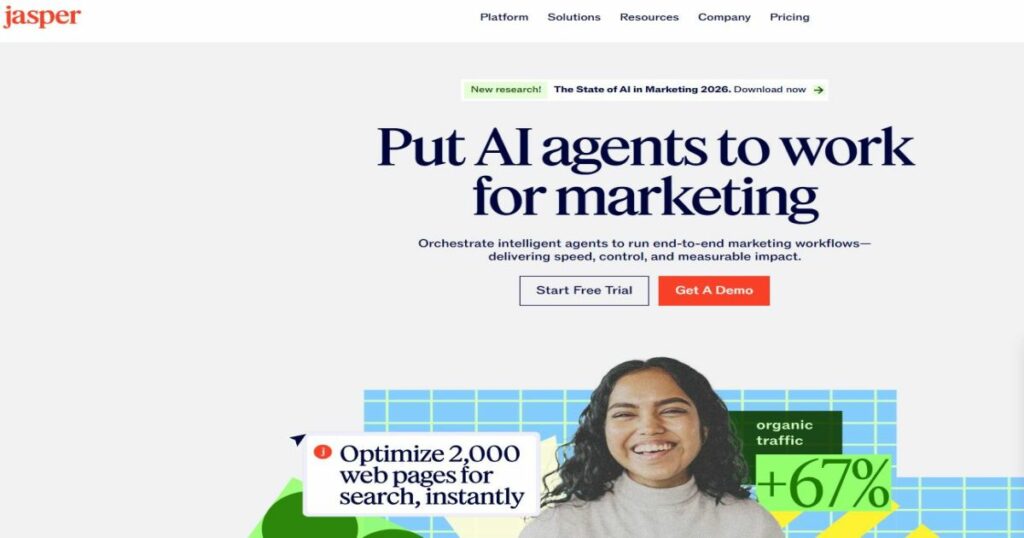
Jasper is the gold standard for marketing teams that need to produce a high volume of on-brand content without sacrificing consistency. Its standout feature is Brand Voice — you feed Jasper examples of your existing content, and it learns your tone, style, and messaging so that everything it produces feels like it came from the same writer.
It’s not the cheapest tool on this list, but for agencies or in-house teams managing multiple campaigns, the time savings justify the cost.
Best for: Marketing teams and agencies producing high volumes of on-brand content.
Key features:
- Brand Voice – train Jasper on your tone and style
- 50+ content templates (blogs, emails, ads, social posts)
- Team collaboration with real-time editing and comments
- Built-in SEO mode and plagiarism checker
- Integrations with Surfer SEO, Google Docs, and Zapier
Pricing:
- Creator – $49/month (monthly) or $39/month (annual) – 1 seat, 1 Brand Voice
- Pro – $69/month (monthly) or $59/month (annual) – teams, 3 Brand Voices, campaign workflows
- Business – custom pricing (advanced permissions, SSO, analytics)
Pros:
- Best-in-class brand consistency across content types
- Huge library of templates that actually save time
- Strong team collaboration features
Cons:
- Expensive for solo creators or small blogs
- Still requires human guidance; not a strategy tool
- Output quality drops without a well-configured Brand Voice
| 👉 Try Jasper → Jasper |
6. Copy.ai | Best for Fast Marketing Copy
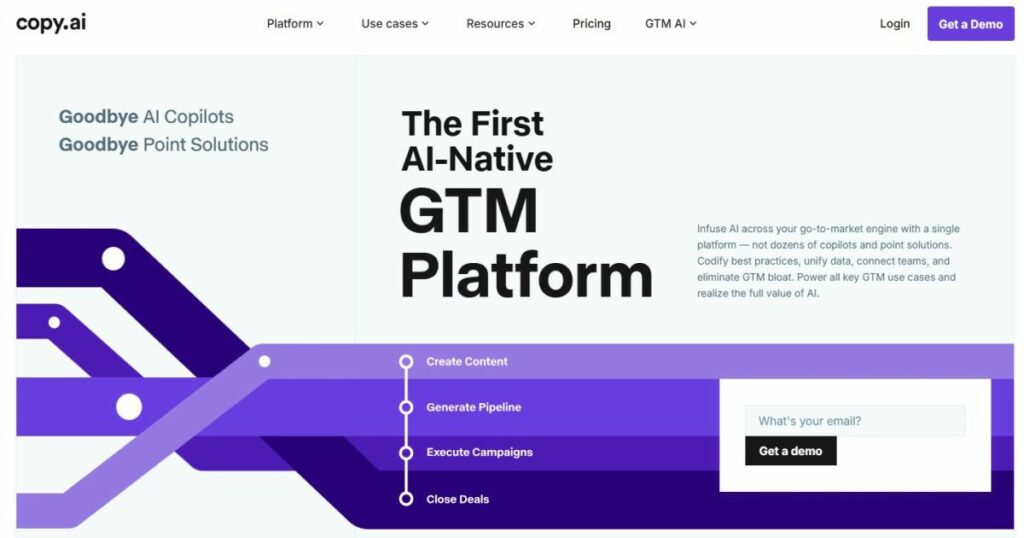
Copy.ai is built for speed. When you need a punchy product description, a batch of ad variants, or a value proposition rewritten five different ways, Copy.ai delivers faster than almost anything else.
The free plan is genuinely useful for individuals, and the paid tier adds workflow automation that lets you chain copy tasks together.
Best for: Short-form marketing copy, ad variants, product descriptions, and value props.
Key features:
- 90+ copywriting templates
- Bulk content workflows for scaling output
- Chat interface for iterative copy refinement
- Brand voice settings
- Integrations with HubSpot, Salesforce, and Zapier
Pricing:
- Free – unlimited projects, 2,000 words/month
- Starter – $49/month (unlimited words, 5 seats)
- Advanced – $249/month (advanced workflows, API access)
Pros:
- Very fast at producing short-form copy variations
- Free tier is usable for light workloads
- Workflow automation is genuinely time-saving at scale
Cons:
- Less suited for long-form blog content
- Brand voice features aren’t as refined as Jasper’s
- Advanced plan is expensive for small teams
| 👉 Try Copy.ai Free → CopyAI |
7. Writesonic | Best for SEO Blog Content
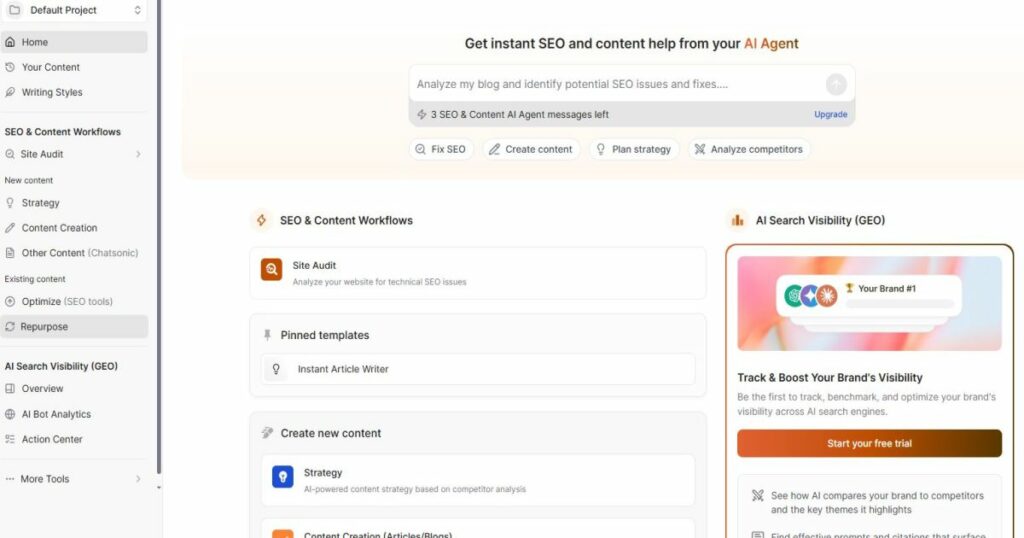
Writesonic sits in a sweet spot between general AI writing and dedicated SEO tools. Its Article Writer produces long-form blog posts that are structured for search, with proper heading hierarchies, keyword placement, and meta descriptions baked in.
For bloggers and content marketers who publish regularly and care about rankings, Writesonic offers more SEO-aware output out of the box than most writing tools at its price point.
Best for: Bloggers and content marketers publishing SEO-focused articles regularly.
Key features:
- Long-form Article Writer with SEO structuring built in
- Chatsonic – AI chat with real-time web search
- AI image generation included
- 100+ templates covering blog, social, email, and ads
- Surfer SEO integration for on-page optimisation
Pricing:
- Free – 25 credits/month (limited generations)
- Individual – $20/month (100 credits/month)
- Teams – $19/seat/month (unlimited words, priority support)
Pros:
- Strong SEO-aware long-form output at a competitive price
- Real-time web search keeps content current
- Good value for solo bloggers compared to Jasper
Cons:
- Credit system can feel restrictive on lower tiers
- Output sometimes needs more editing than Jasper or Claude
- Interface is busier and less intuitive than competitors
| 👉 Try Writesonic Free → Writesonic |
8. Notion AI | Best Built-In Writing Assistant
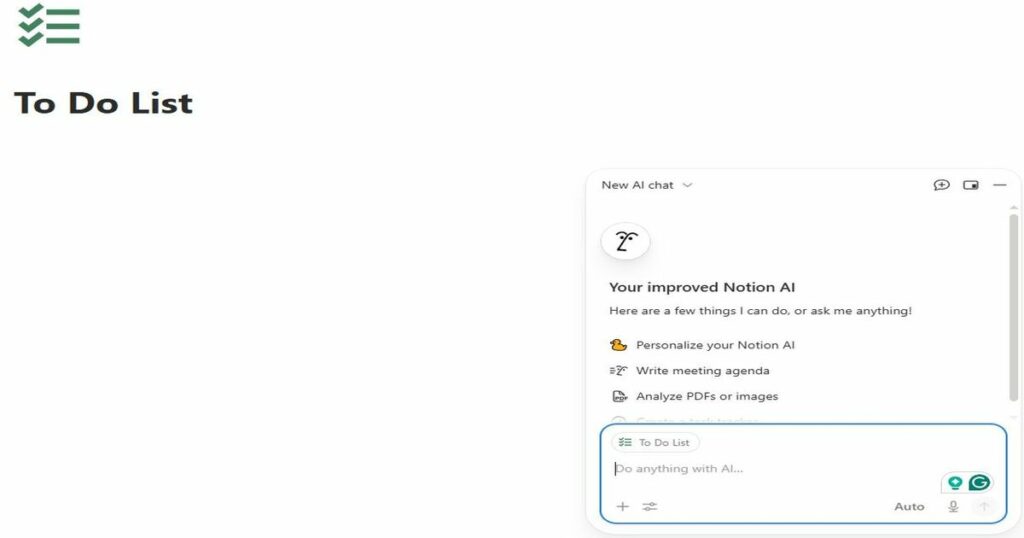
Notion AI isn’t a standalone writing tool — it lives inside Notion, which is where many content teams already manage their editorial calendars, briefs, and drafts. If that’s you, Notion AI is the most frictionless writing assistant available.
It won’t replace a dedicated tool like Jasper for high-volume content production. But for individuals and small teams who use Notion as their hub, it’s a genuinely useful add-on.
Best for: Notion users who want AI assistance without switching tools.
Key features:
- AI writing, editing, and summarisation inside any Notion page
- Draft generation from bullet points or briefs
- Translate content into 10+ languages
- Ask AI questions about your existing Notion docs
- Autofill database properties with AI
Pricing:
- Free trial – limited AI responses
- AI add-on – $10/month per workspace (on top of Notion plan)
- Included in Notion Business plan – $18/user/month
Pros:
- Zero friction for existing Notion users; no new tool to learn
- Useful for summarising and transforming existing documents
- Affordable add-on for teams already paying for Notion
Cons:
- Not powerful enough for high-volume standalone content production
- Only valuable if you’re already using Notion
- AI responses can be generic without detailed prompting
| 👉 Try Notion AI → Notion |
Best AI Image Generators
AI image generation has matured dramatically. What was a novelty two years ago is now a legitimate part of creative workflows for bloggers, marketers, designers, and small businesses. These four tools cover every budget and use case, from free open-source options to professional-grade creative suites.
For a deeper dive into this category, our best AI image generators 2026 guide covers 10+ tools with side-by-side comparisons.
9. Midjourney | Best for Creative Quality

Midjourney produces the most visually striking AI images available. Its outputs have a distinct aesthetic quality, rich detail, strong composition, and a painterly depth, that consistently outperforms competitors for creative and artistic use cases.
The learning curve is steeper than other tools. Midjourney rewards users who invest time in crafting detailed prompts, and getting the best results takes practice. But once you’ve got the hang of it, the output quality justifies the effort.
Best for: Creative professionals, designers, and anyone who prioritises image quality above all else.
Key features:
- Industry-leading image quality and aesthetic output
- Web interface and Discord bot
- Style reference and character reference features
- Vary, zoom, and pan tools for refining generations
- Fast and Relax mode on paid plans
Pricing:
- No free plan (limited free trial previously removed)
- Basic – $10/month (200 images/month, Fast mode)
- Standard – $30/month (unlimited Relax mode, 15hr Fast mode)
- Pro – $60/month (unlimited Relax, 30hr Fast, Stealth mode)
Pros:
- Best overall image quality of any AI image tool
- Highly customisable output with detailed prompting
- Active community with shared prompts and inspiration
Cons:
- No free plan. You must pay to use it
- Steeper learning curve than drag-and-drop competitors
- Commercial use rights require a paid plan
| 👉 Try Midjourney → midjourney.com |
10. DALL-E 3 | Best for Ease of Use
DALL-E 3 is built directly into ChatGPT, which makes it the most accessible AI image generator available. You describe what you want in plain English, no prompt engineering required, and ChatGPT helps you refine the request conversationally before generating the image.
The image quality won’t match Midjourney’s for artistic work, but DALL-E 3 excels at following prompts accurately. It’s noticeably better at rendering text in images and handling specific compositional requests than most competitors.
Best for: Non-designers who need quick, accurate image generation without a learning curve.
Key features:
- Fully integrated into ChatGPT – no separate tool needed
- Conversational image refinement via ChatGPT chat
- Strong prompt adherence, especially for text in images
- Image editing and inpainting via ChatGPT
- Available on free ChatGPT tier (limited usage)
Pricing:
- Free – limited DALL-E 3 generations via ChatGPT free tier
- ChatGPT Plus – $20/month (full DALL-E 3 access, higher limits)
Pros:
- Easiest AI image tool to use; no prompting expertise needed
- Integrated into ChatGPT so no additional subscription required
- Best-in-class at following specific compositional instructions
Cons:
- Image quality and artistic depth behind Midjourney and Firefly
- Limited fine-tuning options compared to dedicated image tools
- Generation limits even on paid plans
11. Adobe Firefly | Best for Commercial Use
By Adobe Inc. · San Jose, CA · Founded 1982 · NASDAQ: ADBE

Adobe Firefly’s defining advantage is its training data. Unlike most AI image generators, Firefly was trained exclusively on licensed Adobe Stock images and public domain content, which means every image you generate is cleared for commercial use without legal grey areas.
Firefly also integrates directly into Photoshop and Illustrator, making it the natural choice for anyone already working in Adobe’s ecosystem.
Best for: Businesses, marketers, and designers who need commercially safe AI-generated images.
Key features:
- Trained on licensed content Commercially safe output
- Native integration with Photoshop and Illustrator
- Generative Fill, Generative Expand, and text-to-image
- Structure Reference and Style Reference controls
- Available as standalone web app and inside Creative Cloud
Pricing:
- Free – 25 generative credits/month via web app
- Firefly Standard – $9.99/month (100 credits/month)
- Firefly Pro $29.99/month (2,000 credits/month)
- Included in Creative Cloud All Apps – $59.99/month
Pros:
- Commercially safe images, no copyright concerns
- Best integration with professional design tools (Photoshop, Illustrator)
- Generative Fill is one of the most useful AI features in any creative tool
Cons:
- Credit system can run out quickly on heavier workloads
- Image quality lags behind Midjourney for purely artistic output
- Full value requires an existing Adobe Creative Cloud subscription
| 👉 Try Adobe Firefly Free → Adobe Firefly |
12. Stable Diffusion | Best Free Option
Stable Diffusion is the only fully open-source AI image generator on this list, which means you can run it locally on your own hardware, completely free, with no usage limits and no subscription.
The trade-off is setup complexity. Running Stable Diffusion locally requires a reasonably powerful GPU and some technical comfort. If that sounds like too much friction, browser-based interfaces like DreamStudio make it accessible without the setup.
Best for: Technical users who want free, unlimited AI image generation with full control.
Key features:
- Fully open source. Free to download and run locally
- Massive library of community fine-tuned models (Civitai)
- Highly customisable with ControlNet, LoRA, and inpainting
- Available via browser interfaces (DreamStudio, Automatic1111)
- No content restrictions when run locally
Pricing:
- Free – self-hosted, runs on your own hardware
- DreamStudio (cloud) – pay-per-credit, starts ~$1 per 100 images
Pros:
- Completely free with no usage limits when self-hosted
- Most customisable AI image tool available. Huge model ecosystem
- No content moderation when running locally
Cons:
- Requires technical setup and a capable GPU for local use
- Steeper learning curve than any other tool on this list
- Output consistency is harder to achieve without experience
| 👉 Try Stable Diffusion → Stable Diffusion |
Best AI Video Generators
AI video tools have made the leap from gimmick to genuinely useful in 2026. Whether you’re creating faceless YouTube content, training videos for your team, or re-purposing blog posts into short-form social clips, there’s now a tool for every use case and budget.
For a closer look at one of the most popular tools in this category, check out our full Fliki review
13. Runway | Best for Professional AI Video
Runway is the professional’s choice for AI video generation. Its Gen-4 model produces the most cinematic, temporally consistent AI video available, meaning objects and characters move realistically from frame to frame without the glitching and warping that plagues cheaper tools.
For content creators, the most practical features are video-to-video transformation and the text-to-video generator for producing original clips from a written prompt.
Best for: Content creators and professionals who need high-quality, cinematic AI video output.
Key features:
- Gen-4 text-to-video and image-to-video generation
- Video-to-video style transformation
- Green screen removal, in-painting, and motion brush
- Multi-motion camera controls
- Collaboration tools for team projects
Pricing:
- Free – 125 credits (one-time)
- Standard – $15/month (625 credits/month)
- Pro – $35/month (2,250 credits/month)
- Unlimited – $95/month (unlimited generations)
Pros:
- Best video quality and temporal consistency of any AI video tool
- Versatile, text-to-video, image-to-video, and video editing in one
- Actively used by professional film makers and studios
Cons:
- Credit system runs out faster than expected on longer clips
- Steeper learning curve than simpler tools like Pictory
- Unlimited plan is expensive for casual creators
| 👉 Try Runway Free → Runway |
14. Synthesia | Best for Avatar & Training Videos

Synthesia lets you create polished presenter-style videos using AI avatars, no camera, no microphone, and no video editing skills required. You type a script, choose an avatar, pick a language, and Synthesia produces a professional-looking talking-head video in minutes.
It’s the dominant tool for corporate training videos, product explainers, onboarding content, and internal communications. With 230+ avatars and support for 140+ languages, it’s also the best option for multilingual video content.
Best for: Businesses creating training videos, product explainers, and multilingual presenter content.
Key features:
- 230+ AI avatars with realistic lip sync
- 140+ languages and accents supported
- Custom avatar creation from your own likeness
- PowerPoint-style slide editor for video layout
- Brand kit for consistent colours, fonts, and logos
Pricing:
- Free – 3 minutes of video/month, limited avatars
- Starter – $29/month (10 minutes/month, 90+ avatars)
- Creator – $89/month (30 minutes/month, all avatars)
- Enterprise – custom pricing
Pros:
- Fastest way to produce professional presenter-style videos
- Exceptional multilingual support – 140+ languages
- No filming or editing skills required whatsoever
Cons:
- Avatar videos have a recognisable AI look; not suitable for all brands
- Limited creative flexibility compared to Runway or real footage
- Monthly video minutes cap can be restrictive on lower plans
| 👉 Try Synthesia Free → Synthesia |
15. Pictory | Best for Repurposing Blog Content into Video
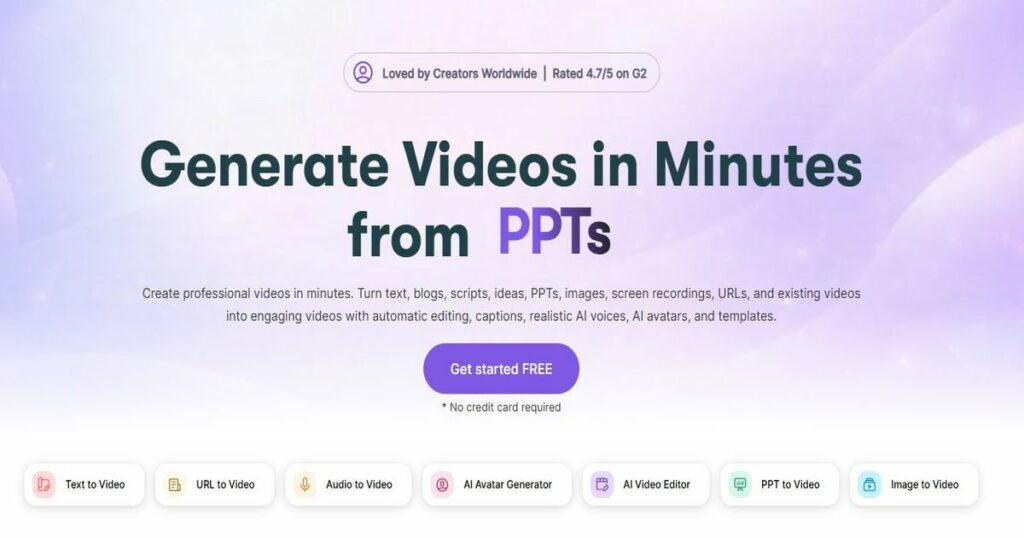
Pictory solves a specific but very common problem for content creators: turning existing written content into video without spending hours in an editor. Paste in a blog post URL or a script, and Pictory automatically pulls out key sentences, matches them to relevant stock footage, adds captions, and produces a shareable video in minutes.
For faceless YouTube channels, social media clips, and video summaries of long-form content, Pictory is by far the fastest and most practical tool available.
Best for: Bloggers and content creators re-purposing written content into social video clips.
Key features:
- Blog URL to video in minutes – no editing required
- Script to video with automatic stock footage matching
- Auto-captions and subtitle styling
- AI voiceover from text
- Brand kit for colours, fonts, and logo watermarking
Pricing:
- Free trial – 3 video projects
- Starter – $25/month (30 videos/month, 10hrs transcription)
- Professional – $49/month (60 videos/month, 20hrs transcription)
- Teams – $99/month (3 users, 90 videos/month)
Pros:
- Fastest blog-to-video pipeline of any tool tested
- No video editing experience required
- Auto-captions are accurate and easy to customise
Cons:
- Stock footage library can feel repetitive across multiple videos
- Not suitable for high-production-quality creative video
- Voiceover quality lags behind dedicated TTS tools like ElevenLabs
| 👉 Try Pictory Free → Pictory |
Best AI Text-to-Speech Tools
AI voice technology has reached a point where synthetic speech is genuinely difficult to distinguish from a real human recording. Whether you’re producing podcast content, YouTube voiceovers, e-learning courses, or video narration, these tools eliminate the need for a recording studio, or a confident speaking voice.
We’ve covered one of the most popular tools in this category in depth, read our full Fliki review
16. ElevenLabs | Best for Voice Realism

ElevenLabs produces the most realistic AI voices available. The difference between ElevenLabs and older text-to-speech tools is immediately noticeable, voices have natural pacing, emotional inflection, and the kind of subtle variation in tone that makes synthetic speech sound human.
Its Voice Cloning feature is particularly powerful. Upload a clean audio sample of your own voice and ElevenLabs can replicate it with striking accuracy.
Best for: Creators and businesses who need the most realistic AI voice overs available.
Key features:
- Industry-leading voice realism with natural inflection
- Instant and Professional Voice Cloning
- 3,000+ voices across 32 languages
- Voice Design — create a custom voice from scratch
- API access for developers building voice-powered apps
- Dubbing Studio for translating and replacing audio in videos
Pricing:
- Free – 10,000 characters/month, 3 custom voices
- Starter – $5/month (30,000 characters, 10 custom voices)
- Creator – $22/month (100,000 characters, 30 custom voices)
- Pro – $99/month (500,000 characters, 160 custom voices)
Pros:
- Best voice realism of any TTS tool. Genuinely hard to distinguish from human
- Voice cloning is accurate and fast to set up
- Generous free tier for testing and light use
Cons:
- Character limits can be restrictive for high-volume content production
- Voice cloning raises ethical considerations; requires responsible use
- Professional Voice Cloning requires higher-tier plan
| 👉 Try ElevenLabs Free → Elevenlabs |
17. Murf AI | Best for Business Voiceovers
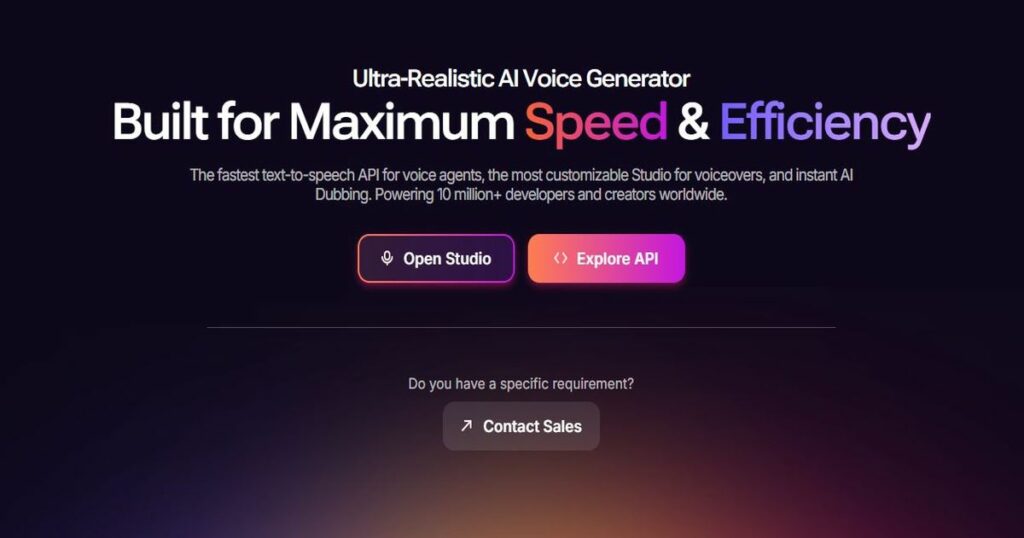
Murf AI is built with business users in mind. Its studio interface is clean and intuitive and includes a built-in video and image sync feature that lets you pair your voice over directly with visuals inside the tool.
Voice quality is excellent, if not quite at ElevenLabs’ level. But for most business use cases, the difference is marginal, and Murf’s team collaboration features and integrated media editor make it the more practical choice for non-solo workflows.
Best for: Business teams producing e-learning, explainer videos, and professional voice overs.
Key features:
- 120+ AI voices across 20+ languages
- Built-in video and image sync editor
- Pitch, speed, and emphasis controls per sentence
- Team collaboration with shared projects and assets
- API access for workflow integrations
Pricing:
- Free – 10 minutes of voice generation, limited voices
- Creator – $29/month (2hrs voice generation, 60+ voices)
- Business – $99/month (8hrs voice generation, all voices, team features)
- Enterprise – custom pricing
Pros:
- Most complete all-in-one voiceover studio – record, edit, and sync in one tool
- Clean interface makes it accessible for non-technical business users
- Strong team collaboration features on Business plan
Cons:
- More expensive than ElevenLabs for comparable voice generation volume
- Voice realism slightly behind ElevenLabs at equivalent price points
- Free tier is very limited. Only 10 minutes total
| 👉 Try Murf AI Free → Murf |
18. Fliki | Best for Video + Voice Combined
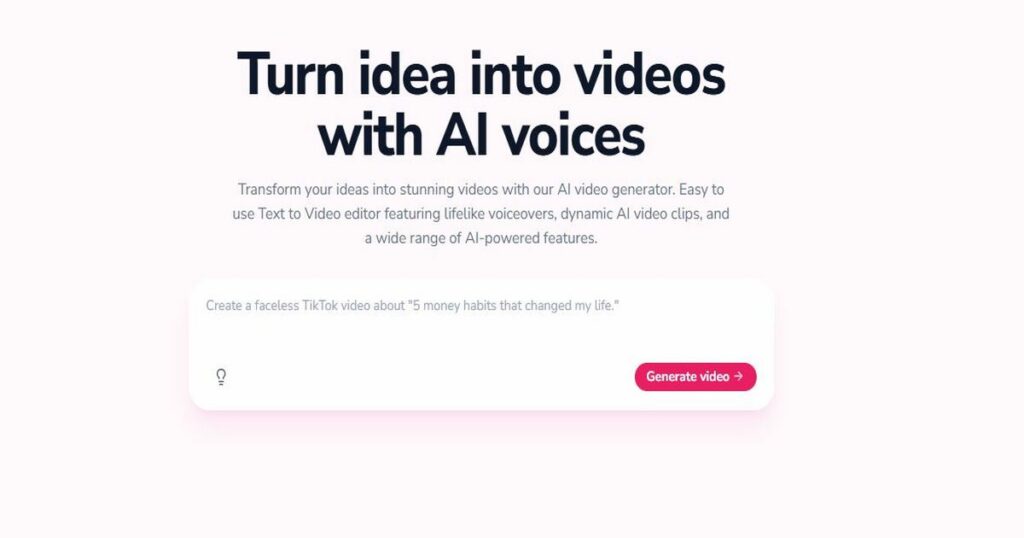
Fliki sits at the intersection of text-to-speech and video creation. Rather than treating voice and video as separate workflows, Fliki combines them, you write or paste a script, choose a voice, and Fliki builds a complete video with matching visuals, captions, and narration in one pass.
Voice quality is solid across its 2,000+ voices in 75+ languages, and the stock media library is large enough to keep most videos feeling fresh.
Best for: Solo content creators who want to produce voiced video content from a script in one tool.
Key features:
- Script-to-video with automatic media matching
- 2,000+ AI voices across 75+ languages
- AI avatar presenter option
- Auto-captions and subtitle customisation
- Blog URL to video conversion
- Brand kit for consistent styling
Pricing:
- Free – 5 minutes of video/month, watermarked
- Standard – $28/month (180 minutes/month, no watermark)
- Premium – $88/month (600 minutes/month, commercial licence)
Pros:
- Best combined voice + video workflow for solo creators
- Huge voice library covering 75+ languages
- Competitive pricing for the volume of content it produces
Cons:
- Voice realism doesn’t match dedicated tools like ElevenLabs
- Video quality below dedicated tools like Runway for cinematic output
- Free plan watermark makes it unsuitable for publishing without upgrading
| 👉 Try Fliki Free → Fliki |
Best AI SEO Tools
Writing great content is only half the battle. It also needs to rank. AI SEO tools take the guesswork out of on-page optimisation, keyword research, and competitor analysis, giving you a data-driven roadmap for content that actually gets found on Google.
19. Surfer SEO | Best for On-Page Optimisation
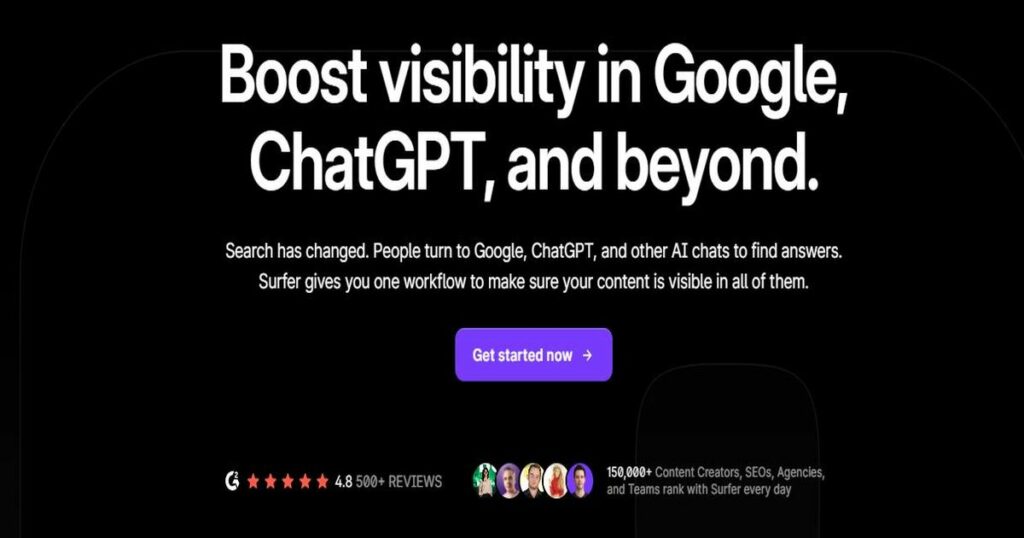
Surfer SEO does one thing exceptionally well: it tells you exactly how to optimise a piece of content to rank for a target keyword. Its Content Editor analyses the top-ranking pages for your keyword and produces a real-time score based on word count, keyword usage, heading structure, and NLP terms that Google associates with the topic.
For bloggers and content marketers who already know what they want to write about, Surfer removes the uncertainty from the optimisation process.
Best for: Bloggers and content marketers who want data-driven on-page SEO guidance for every article.
Key features:
- Content Editor with real-time SEO scoring as you write
- SERP Analyser for reverse-engineering top-ranking pages
- Keyword Research tool with clustering and topical authority mapping
- Audit tool for optimising existing published content
- AI Outline Generator for SEO-structured article outlines
- Integration with Google Docs, Jasper, and WordPress
Pricing:
- No free plan
- Essential – $99/month (30 articles/month)
- Scale – $219/month (100 articles/month, AI content detector)
- Enterprise – custom pricing
Pros:
- Best-in-class real-time on-page optimisation guidance
- Topical authority mapping helps you plan content clusters strategically
- Google Docs and WordPress integrations make it easy to use in existing workflows
Cons:
- No free plan – relatively high starting price for solo bloggers
- Focuses on on-page SEO only – no backlink analysis or technical SEO auditing
- Content score can encourage over-optimisation if followed too rigidly
| 👉 Try Surfer SEO → Surfer SEO |
20. Semrush | Best All-in-One SEO Suite
Semrush is the most comprehensive SEO platform available, covering every dimension of search optimisation in a single tool. Where Surfer focuses narrowly on on-page content scoring, Semrush covers keyword research, backlink analysis, technical site auditing, competitor intelligence, rank tracking, and content optimisation, all under one roof.
For serious affiliate bloggers and content businesses, Semrush pays for itself quickly. The keyword and competitor data alone is worth the subscription for anyone publishing more than a handful of articles per month.
Best for: Serious bloggers, affiliate marketers, and content businesses who need a full SEO toolkit.
Key features:
- Keyword Magic Tool – 25+ billion keywords database
- Backlink Analytics and Link Building tool
- Site Audit – 140+ technical SEO checks
- Position Tracking for daily rank monitoring
- Competitive research – see any competitor’s top pages and keywords
- AI-powered SEO Writing Assistant and ContentShake AI
- Topic research and content gap analysis
Pricing:
- Free – limited searches (10 per day across most tools)
- Pro – $139.95/month (5 projects, 500 keywords to track)
- Guru – $249.95/month (15 projects, historical data, content tools)
- Business – $499.95/month (40 projects, API access, white-label)
Pros:
- Most complete SEO toolkit available. Replaces multiple standalone tools
- Competitor intelligence is unmatched at any price point
- AI writing and content tools included on Guru plan and above
Cons:
- Expensive – the Pro plan alone is the priciest on this list
- Overwhelming for beginners. Steep learning curve across so many features
- Keyword data for very niche or low-volume terms can be patchy
| 👉 Try Semrush Free → Semrush |
Best AI Coding Tools
AI coding tools have matured faster than almost any other category in 2026. What started as glorified autocomplete has evolved into full agentic coding assistants that can plan, write, debug, and re-factor entire features with minimal human input.
21. Cursor | Best AI-Native Code Editor
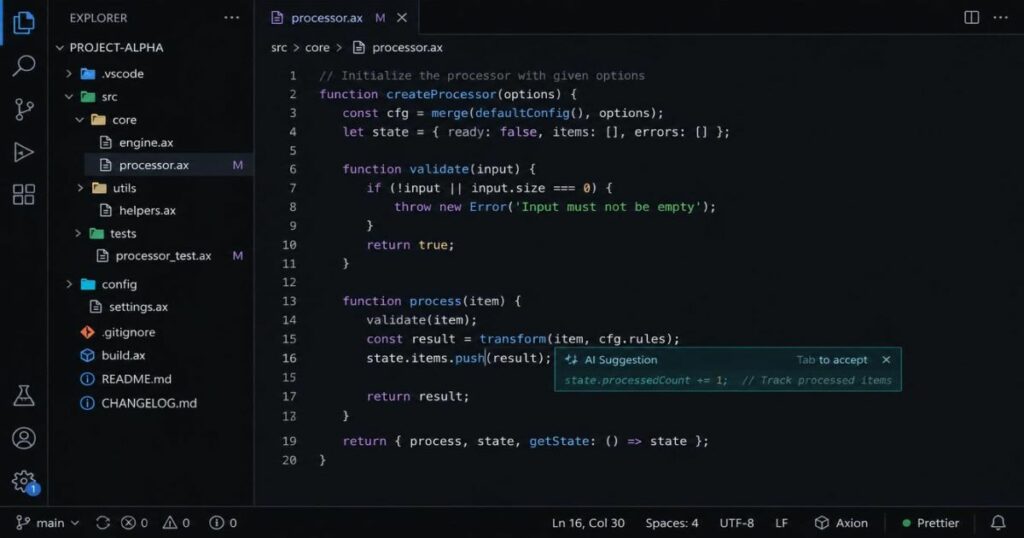
Cursor is the dominant AI-native code editor in 2026. Built on top of VS Code, it feels immediately familiar to anyone who’s used that editor, but with AI woven into every part of the workflow. Its Tab auto complete predicts not just the next line but entire logical blocks of code.
What sets Cursor apart is its codebase awareness. Cursor indexes your entire project, which means its suggestions are grounded in your actual architecture, naming conventions, and existing patterns. Not just generic code from training data.
Best for: Professional developers and technical founders who want the most capable AI coding environment available.
Key features:
- Tab auto complete that predicts multi-line and multi-block code
- Composer – make changes across multiple files from a single prompt
- Full code base indexing for context-aware suggestions
- Background agents that work on tasks autonomously
- Seamless model switching – Claude, GPT, Gemini all available
- Built on VS Code – all existing extensions work
Pricing:
- Free – 2,000 code completions/month, 50 slow premium requests
- Pro – $20/month (unlimited completions, 500 fast premium requests)
- Business – $40/user/month (team features, admin controls, privacy mode)
Pros:
- Best overall AI coding experience available. Context-aware and genuinely fast
- Familiar VS Code base means near-zero learning curve for existing users
- Background agents handle entire features autonomously on Pro plan
Cons:
- Pro plan’s fast request limits can run out on heavy usage days
- Codebase indexing can be slow on very large repositories
- Business plan pricing adds up quickly for larger engineering teams
| 👉 Try Cursor Free → Cursor |
22. GitHub Copilot | Best Value AI Coding Assistant
By GitHub (Microsoft) · San Francisco, CA · Founded 2008 · Acquired by Microsoft 2018
GitHub Copilot offers the best value in AI coding at every tier. The free plan, 2,000 code completions and 50 chat requests per month, is the most generous free coding assistant available, and the $10/month Pro plan delivers inline completions, multi-file chat, an autonomous coding agent, and AI-powered code review.
Its native GitHub integration is also genuinely useful. Copilot understands your repositories, pull requests, and issues directly.
Best for: Developers who want strong AI coding assistance at the lowest cost, especially those working heavily in GitHub.
Key features:
- Inline code completions across all major editors (VS Code, JetBrains, Vim, Neovim)
- Copilot Chat for explaining, refactoring, and debugging code
- Copilot Agent – autonomous coding agent that handles GitHub Issues end-to-end
- AI-powered code review on pull requests
- Native GitHub integration – understands your repos, PRs, and issues
- Multi-model support – Claude, GPT, Gemini available on paid plans
Pricing:
- Free – 2,000 completions/month, 50 chat requests/month
- Pro – $10/month (unlimited completions, unlimited chat, full agent access)
- Business – $19/user/month (team management, policy controls, audit logs)
- Enterprise – $39/user/month (custom models, advanced security features)
Pros:
- Best value AI coding tool at every price tier. The free plan is genuinely useful
- Native GitHub integration makes it uniquely powerful for GitHub-centric workflows
- Works across all major editors; not locked into one environment
Cons:
- Less context-aware than Cursor for large, complex codebases
- Agent feature is less capable than Cursor’s background agents for multi-file tasks
- Quality gap widens vs Cursor on large, architecture-heavy projects
| 👉 Try GitHub Copilot Free → Github Copilot |
23. Claude Code | Best Terminal AI Coding Agent
Claude Code is Anthropic’s terminal-based coding agent. Rather than sitting inside an editor and assisting as you type, Claude Code operates autonomously in your terminal. You give it a high-level task and it reads your codebase, plans its approach, writes the code, runs it, and iterates until the task is complete.
Its SWE-bench score of 80.8% is the highest of any commercial coding agent. For developers comfortable in the terminal who want an agent that can handle substantial tasks end-to-end, Claude Code is the most capable option available.
Best for: Experienced developers who want a powerful autonomous coding agent for complex, multi-step tasks.
Key features:
- Fully autonomous terminal-based coding agent
- Reads, writes, and executes code across your entire codebase
- 80.8% SWE-bench score. The highest of any commercial coding agent
- 1 million token context window. Handles large codebases in full
- Built-in safety checks before executing potentially destructive commands
- Works with any language, framework, or codebase structure
Pricing:
- Included with Claude Pro – $20/month (usage limits apply)
- Claude Max – $200/month (5x higher usage limits, best for heavy daily use)
Pros:
- Most capable autonomous coding agent for complex multi-step tasks
- Highest SWE-bench score of any commercial agent
- Massive context window handles large codebases without losing track
Cons:
- Terminal-based. Not suitable for developers who prefer a GUI environment
- Usage limits on Pro plan can be restrictive for full-time coding workflows
- Less beginner-friendly than Cursor or Copilot; rewards experienced developers
| 👉 Try Claude Code via Claude Pro → Claude Code |
Best AI Productivity & Automation Tools
The best AI tools don’t just help you create content — they help you work smarter across everything else too. The two tools in this category cover two of the biggest time drains in any content creator or marketer’s workflow: repetitive task automation and writing quality.
24. Zapier | Best for Workflow Automation
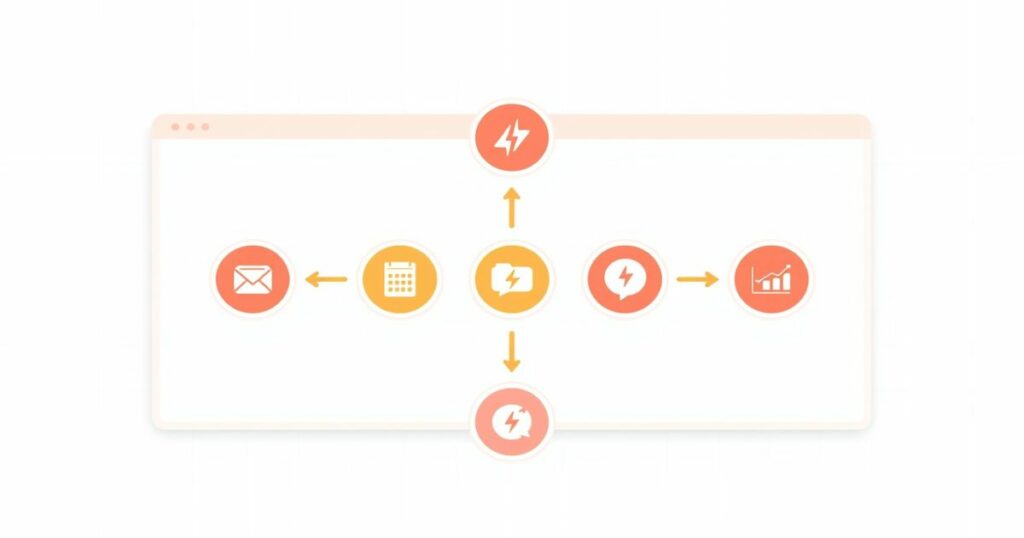
Zapier connects over 7,000 apps and lets you build automated workflows, called Zaps, that trigger actions across tools without any code. For content creators and affiliate marketers, the practical applications are enormous: automatically send new blog posts to social media, route leads from your contact form into a CRM, or notify your team in Slack when a new affiliate sale comes in.
Zapier’s AI features have expanded significantly, with a natural language Zap builder that lets you describe a workflow in plain English and have it built automatically.
Best for: Content creators, marketers, and small business owners who want to automate repetitive tasks across multiple tools without writing code.
Key features:
- 7,000+ app integrations. The largest ecosystem of any automation tool
- AI-powered Zap builder. Describe a workflow in plain English to build it
- Multi-step Zaps with conditional logic, filters, and paths
- Zapier Tables for lightweight database storage within workflows
- Zapier Interfaces for building simple internal tools and forms
- Pre-built templates for hundreds of common workflows
Pricing:
- Free – 100 tasks/month, 5 single-step Zaps
- Professional – $29.99/month (unlimited Zaps, 2,000 tasks/month, multi-step)
- Team – $103.50/month (25 users, shared workspace, advanced permissions)
- Enterprise – custom pricing
Pros:
- Largest app integration library available; connects virtually any tool you use
- AI Zap builder makes automation genuinely accessible for non-technical users
- Free tier is useful for simple single-step workflows
Cons:
- Task limits on lower tiers run out quickly for high-volume workflows
- Complex multi-step Zaps can be tricky to debug when something breaks
- Becomes expensive at scale compared to code-based alternatives like Make
| 👉 Try Zapier Free → Zapier |
25. Grammarly | Best for Writing Polish & Tone
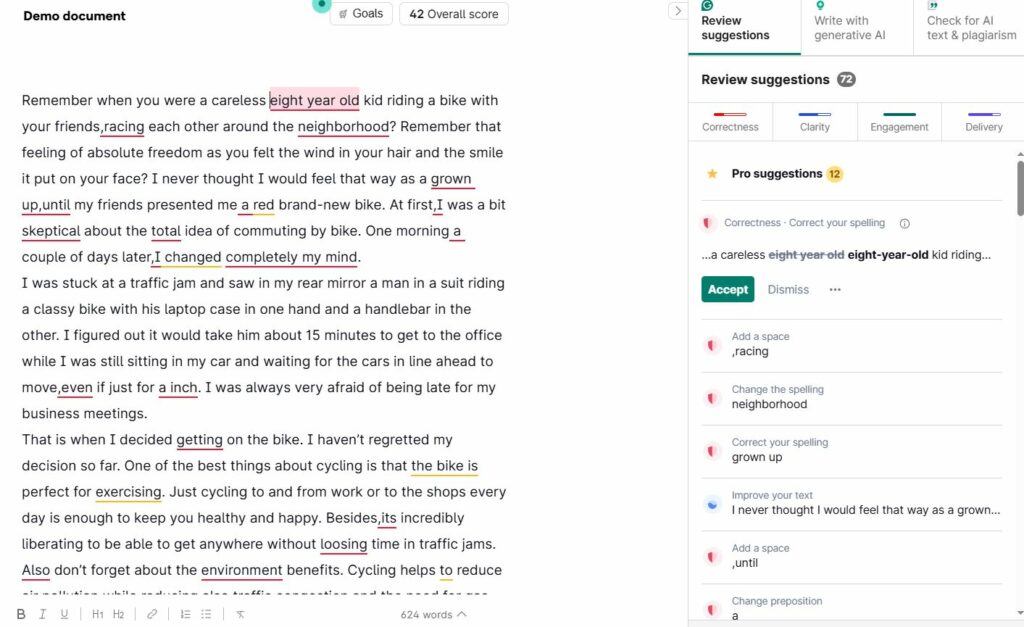
Grammarly has evolved well beyond a spell checker. It’s AI layer now handles tone adjustment, clarity rewrites, full sentence restructuring, and brand voice consistency across everything you write, emails, blog posts, social copy, and documents.
What makes Grammarly particularly valuable for affiliate bloggers and marketers is its tone detection feature. It flags when a sentence reads as too formal, too passive, or too blunt for your intended audience, and suggests rewrites that keep your voice consistent.
Best for: Writers, bloggers, and marketers who want a fast, reliable AI editor to polish every piece of content before publishing.
Key features:
- Real-time grammar, spelling, and punctuation correction
- Tone detection and adjustment suggestions
- Clarity and conciseness rewrites
- AI-powered full-sentence and paragraph rewrites
- Brand tone and style guide enforcement (Business plan)
- Works across 500,000+ apps and websites via browser extension
- Plagiarism checker against 16 billion web pages (Premium)
Pricing:
- Free – basic grammar and spelling corrections
- Premium – $12/month (tone, clarity, rewrites, plagiarism checker)
- Business – $15/user/month (team style guides, analytics, brand tone)
Pros:
- Works everywhere you write – browser, desktop, Google Docs, email, social
- Tone detection is genuinely useful for maintaining a consistent voice
- Affordable Premium tier delivers significant writing quality improvements
Cons:
- AI rewrite suggestions can occasionally flatten your natural voice if applied too liberally
- Plagiarism checker is useful but not a replacement for dedicated tools like Originality.ai
- Business plan’s brand tone features require time investment to configure properly
| 👉 Try Grammarly Free → Grammarly |
How to Choose the Best AI Tool for You
With 25 tools across eight categories, the real question isn’t which AI tool is best, it’s which one is best for your specific situation. Here’s a simple framework to find your answer.
Ask yourself these four questions
- What’s your primary use case? Start here before looking at anything else. The biggest mistake people make is buying a general-purpose tool when a specialist would serve them far better, or paying for a specialist when ChatGPT would have done the job for free.
- What’s your budget? Every category on this list has a solid free option. Begin with free tiers and only upgrade once you’ve hit a genuine limit.
- Do you need it to integrate with your existing tools? If your workflow runs on Google Workspace, Gemini is an obvious fit. If you’re already in Notion, Notion AI adds value with zero friction.
- Are you a solo creator or part of a team? Most tools charge significantly more for team seats and collaboration features. Factor in per-seat pricing before comparing headline costs.
Use-case quick matcher
| If you are… | Start with… |
|---|---|
| A blogger or affiliate marketer | Writesonic + Surfer SEO |
| A social media or marketing manager | Jasper + Copy.ai |
| A YouTube or video content creator | Pictory + Fliki |
| A developer or technical founder | Cursor + Claude Code |
| A researcher or journalist | Perplexity |
| A business creating training content | Synthesia + Murf AI |
| Someone new to AI with no budget | ChatGPT (free) + Grammarly (free) |
| A designer needing commercial images | Adobe Firefly |
| A creator wanting maximum image quality | Midjourney |
| A marketer automating their workflow | Zapier + Copy.ai |
Frequently Asked Questions
What is the best AI tool overall in 2026?
There’s no single answer. It depends entirely on what you need it for. For pure versatility, ChatGPT remains the strongest all-rounder. For writing quality, Claude is the benchmark. For research, Perplexity is unmatched. If you can only pick one tool and do a wide variety of tasks, start with ChatGPT’s free plan and branch out from there.
Are there good free AI tools in 2026?
Yes. And the free tiers are better than ever. ChatGPT, Claude, Gemini, Perplexity, Grammarly, ElevenLabs, Adobe Firefly, Writesonic, Zapier, and GitHub Copilot all offer genuinely useful free plans. You can build a solid AI-powered content workflow in 2026 without spending a penny, though paid plans unlock meaningfully higher quality and volume across most tools.
What AI tools are best for content creators?
For content creators, the highest-value combination is a writing assistant, an SEO tool, and a video or voice tool. A strong starting stack would be ChatGPT or Writesonic for writing, Surfer SEO for optimisation, and Fliki or Pictory for turning content into video. Add Grammarly for editing and Zapier to automate your publishing workflow, and you have a complete content production system.
Is ChatGPT still the best AI in 2026?
ChatGPT is still the most versatile and most widely used AI tool in 2026, with over 900 million weekly active users. But it’s no longer the best at everything.
Claude outperforms it for long-form writing and coding. Perplexity beats it for research accuracy. Midjourney produces better images.
Cursor is a stronger coding environment. ChatGPT’s strength is breadth. It handles more task types in one place than any competitor.
For general use, it’s still the default first choice. For specialist work, category-specific tools are consistently stronger.
What is the best AI tool for affiliate marketers?
or affiliate marketers, the most valuable tools are those that help you produce high-ranking content at scale. Surfer SEO tells you exactly how to optimise each article. Writesonic or Jasper speed up content production. Semrush gives you the competitive intelligence to find gaps your competitors haven’t covered. Grammarly polishes your output before publishing. And Zapier automates the distribution and admin tasks that eat into your writing time.
The Bottom Line
The best AI tools in 2026 aren’t just novelties. They’re legitimate productivity multipliers for content creators, marketers, bloggers, and developers. The tools on this list have been tested across real workflows and represent the strongest options in each category right now.
If you’re starting from scratch, begin with ChatGPT (free) for general tasks and Grammarly (free) for editing. Both deliver immediate value at zero cost. Once you’ve identified where you’re spending the most time, add a specialist tool for that category. You’ll likely find that one or two well-chosen tools transform your output more than a dozen mediocre ones.
The AI tool landscape will keep evolving. We update this guide regularly to reflect new releases and pricing changes. Bookmark it and check back before making any new purchasing decisions.
Looking for more in-depth reviews? Check out our full Fliki review, KoalaWriter review, and our complete guide to AI writing tools.
